
What is Mutual Wallet? Why create a Mutual Wallet?
Basically, mutual wallet is to add an extra protection to your account, so that every transfer you make will be guaranteed by other admins. You transfer will be succeed after a certain number of admins have confirmed your transfer. It's convenient for multiple people to manage one account at the same time.
How to create a mutual wallet?
1. Enter "Poolin Wallet", click "Mutual Wallet" on the homepage, and then click "Create mutual wallet".
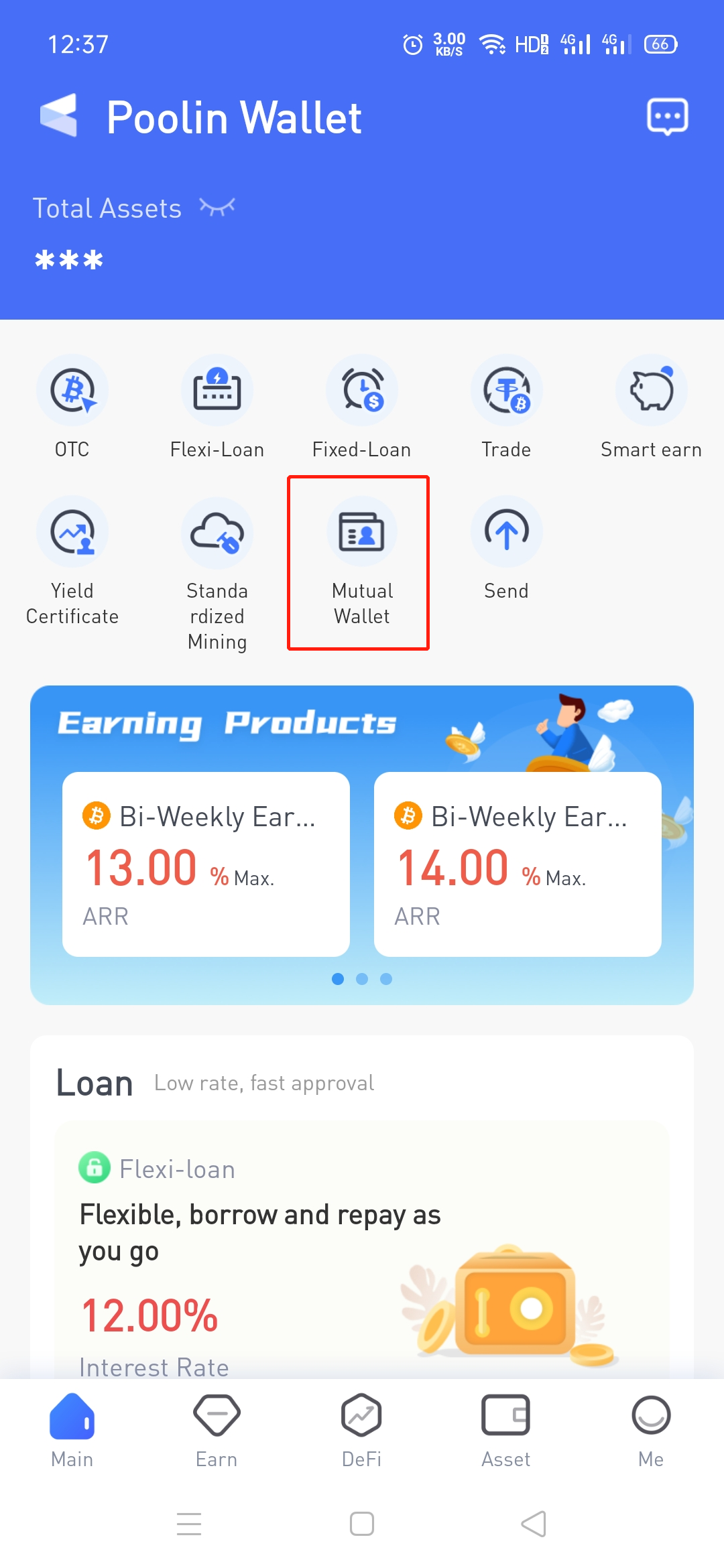
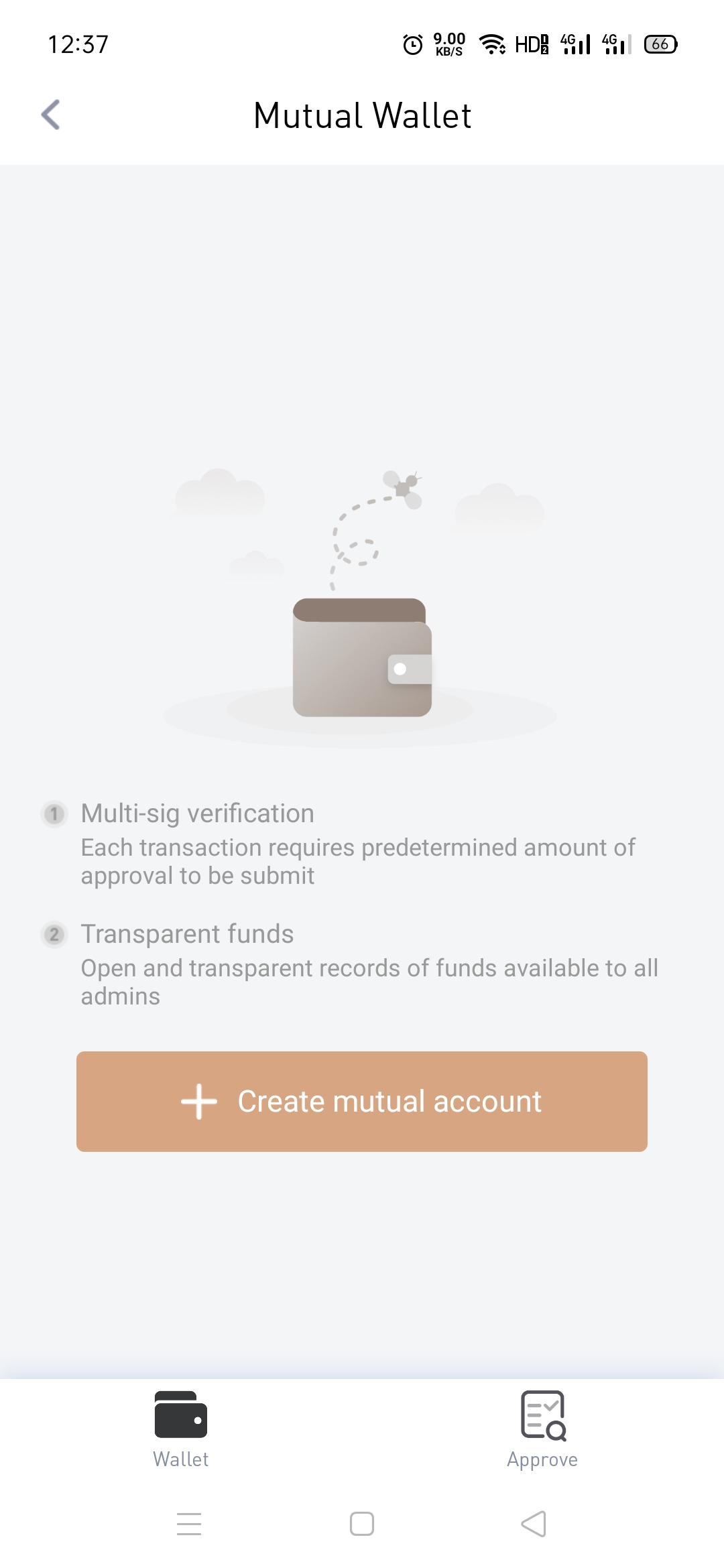
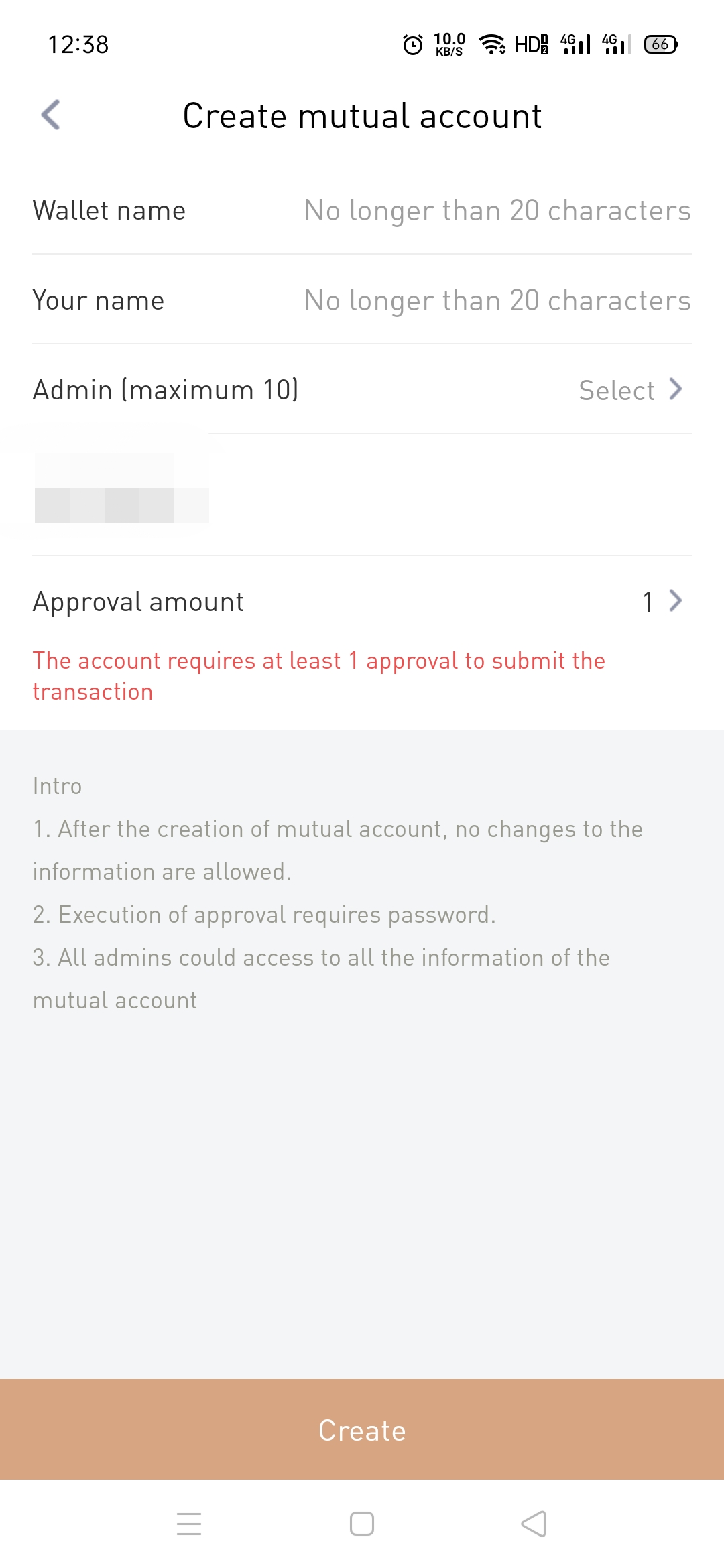
2. Enter basic information which is required, and kindly be advised that your name is used only as a note. Enter the information of the "Admin" you want to add as well (currently support phone number/email/UID), select approval amount, and then click "Create".
Please be advised: In order to protect the rights of the account owner, all information (including the information of the admins, approval amount) cannot be modified or cancelled after the mutual wallet is created. Please fill in and confirm it carefully.
3. After clicking "Create", the creator can see the joining status of the invitees (ie other admins) in real time.
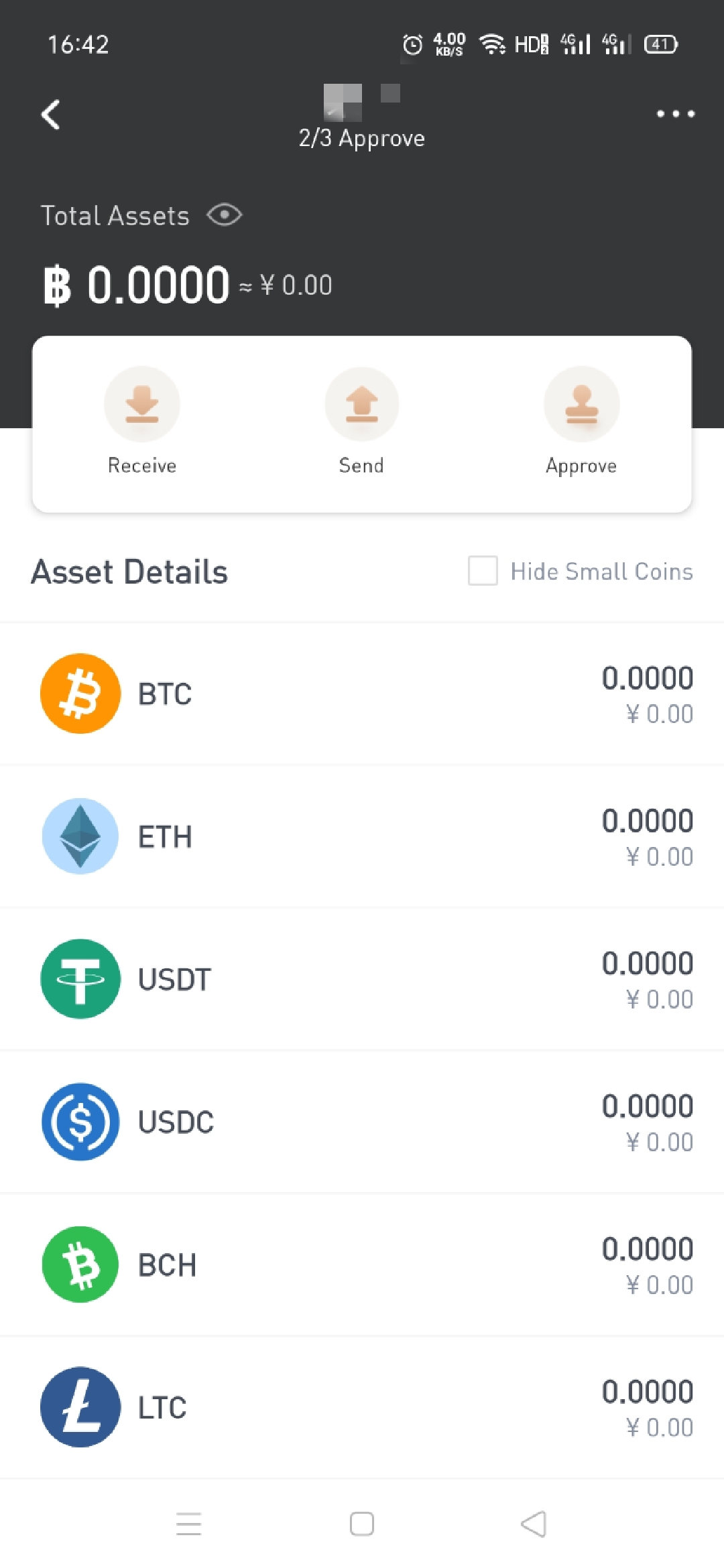
4. After all other invited admins agree to join, the mutual account is created successfully, and all admins will see the following interface after entering the mutual account:
How to join a mutual account?
1. Contact the creator of the mutual account to invite you (the creator needs to have one of your phone number/email/UID information)
Way to check your UID: open the Poolin Wallet APP - click "Me" at below- check and copy your UID
2. After the creator sends you an invitation, you can click to enter the mutual account to have a check. In addition, you can also click ">" to view the details of this mutual account.
3. After you have fully understand the details of this mutual account, click "Accept" and enter your name (used as a note only) to join.
Comments
0 comments
Please sign in to leave a comment.